First on the ball.
Then screen time.

Juggle first, scroll later. The iPhone camera counts every touch, and hitting your daily goal unlocks screen time.

Parents can set it up for their kids. High school players, college players and pros can lock their own apps, with no parent needed.

Download on theApp StoreComing soon
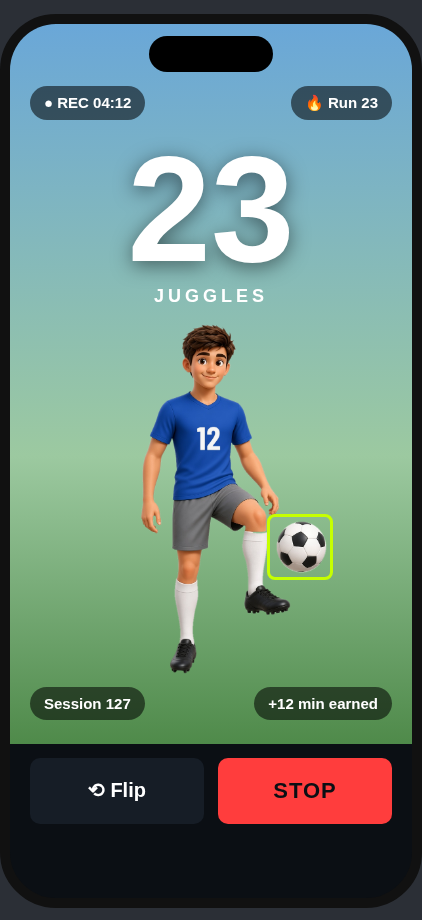
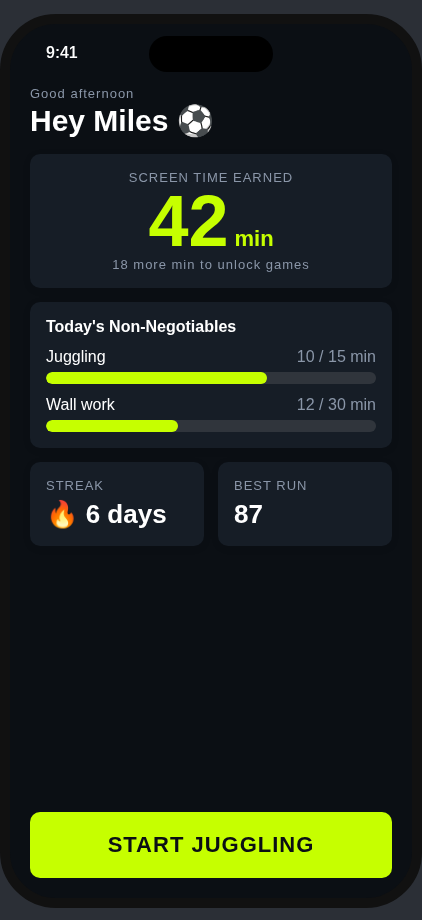
Kid home screen showing earned minutes and daily goalsLive session with juggle counter

One app, two ways to play

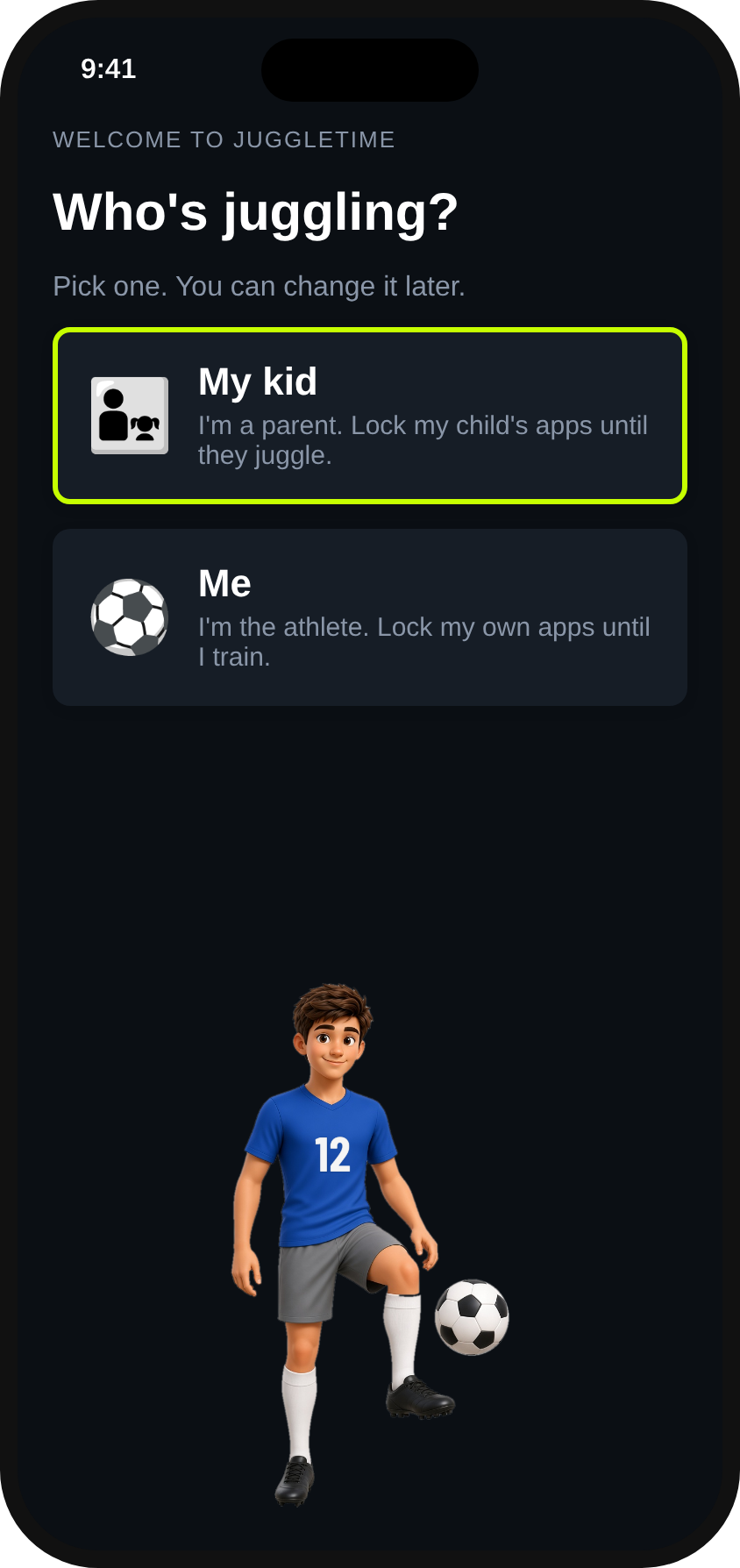
Ask "Who's juggling?" at setup and pick My kid or Me. Same counter, same goals, set up for who's using it.

๐Ÿ‘จโ€๐Ÿ‘ง For Families

Parents set the goal. Kids juggle to unlock.

  • Who's juggling? My kid. Pick the parent path at setup.
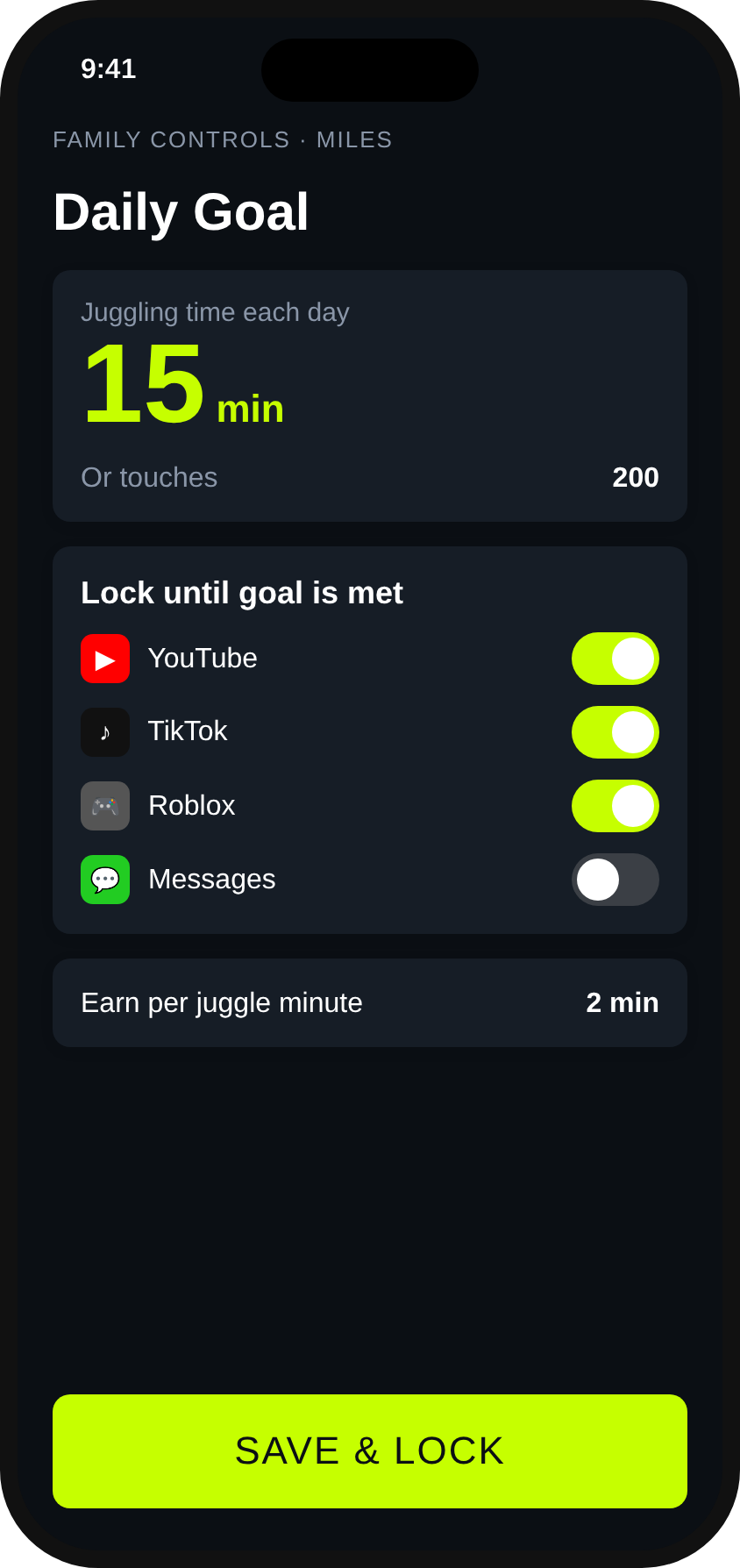
  • Set the daily goal. Minutes or touches, using Apple's Family Controls.
  • Choose apps to lock. YouTube, TikTok, games: you decide what waits until the goal is done, and what stays limited to earned minutes.
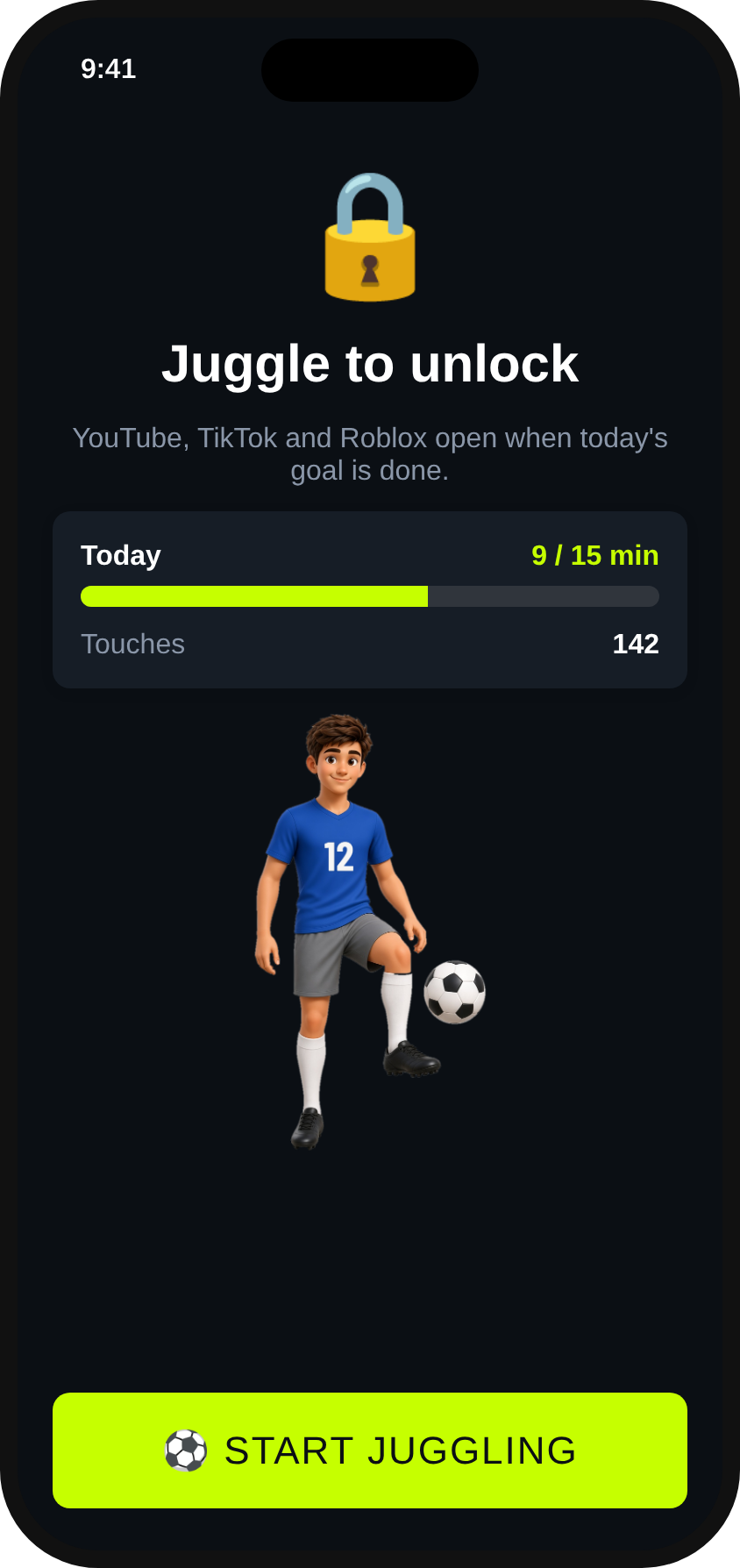
  • Kids juggle to unlock. Apps open when today's goal is done.
Who's juggling onboarding screenParent setup with daily goal and locked appsKid lock screen: juggle to unlock
๐Ÿ† For Athletes

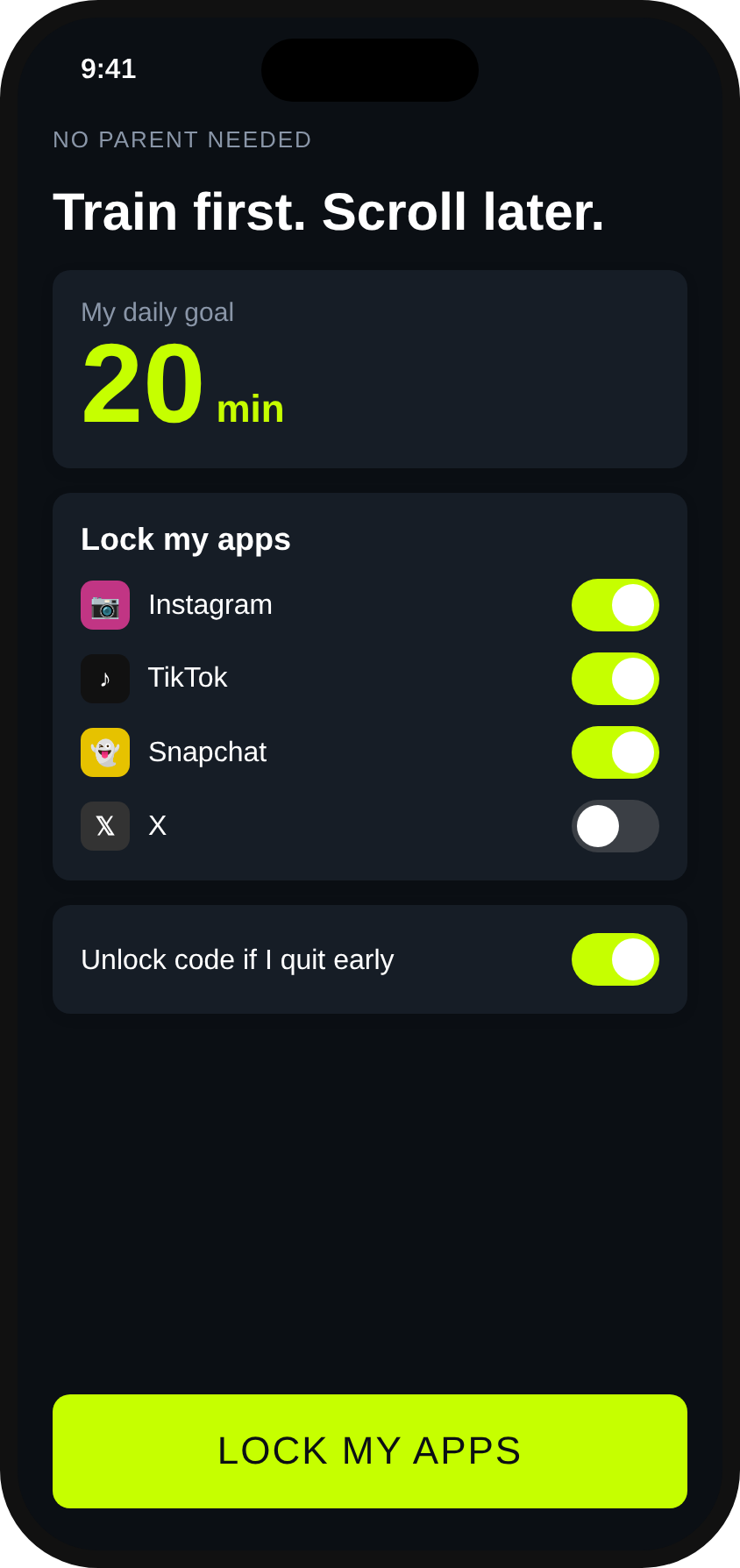
Train first. Scroll later.

  • Who's juggling? Me. Built for high school players, college players and pros.
  • Lock your own apps. No parent needed. You set the goal, and a friend can hold the settings password.
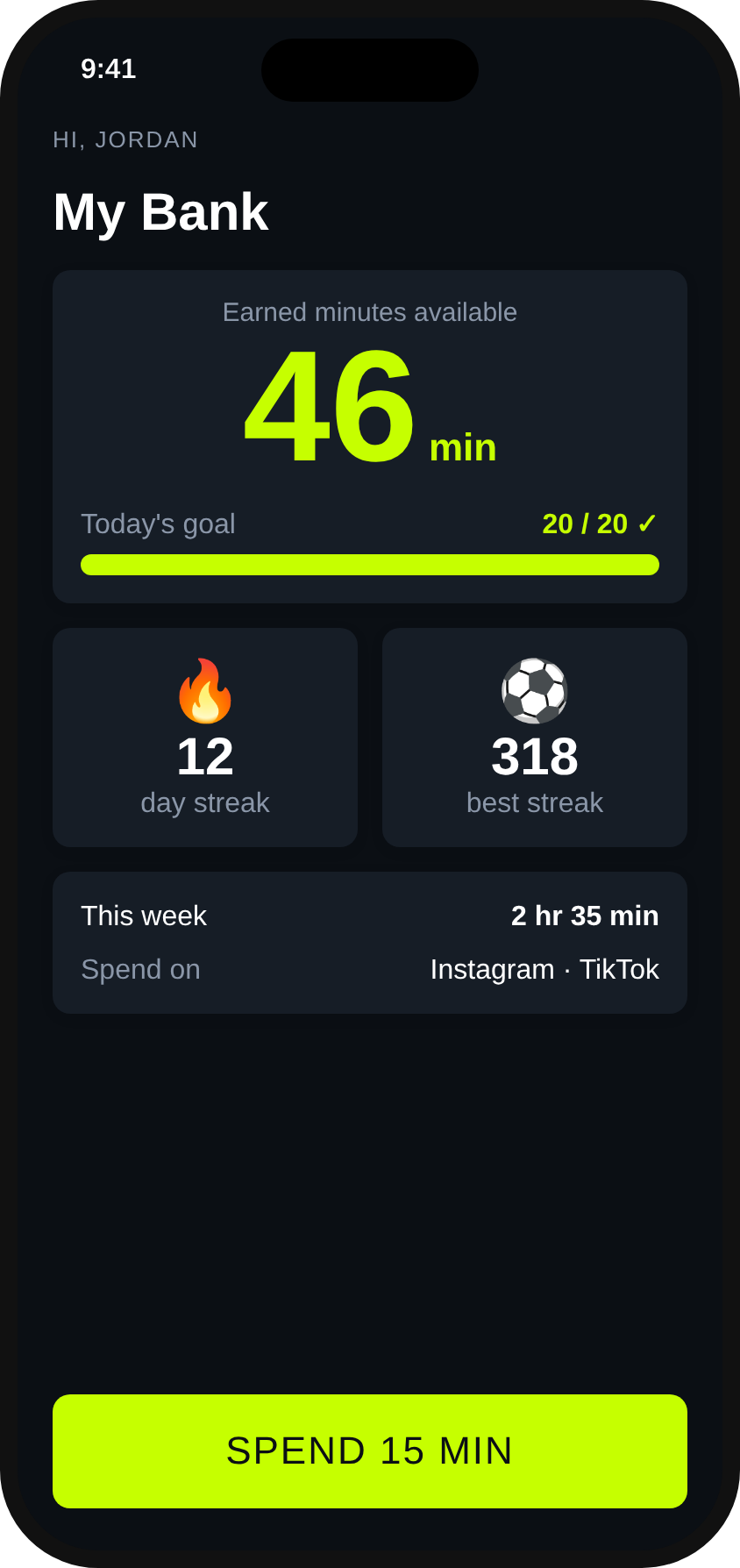
  • Screen-time bank. Every juggle earns minutes you can spend later.
  • Streaks, records & trophies. Keep the fireball lit and chase 100+ trophies.
Athlete self-mode goal and locked appsScreen-time bank with streaks

How it works

01

Juggle

Prop the phone up at waist height and start a session.

02

Camera counts

JuggleTime tracks the ball and counts each touch, live and on screen.

03

Earn time

Sets of 5+ juggles count, and every juggle adds minutes to your screen-time bank.

04

Apps unlock

Hit the daily goal to open goal-locked apps, and spend banked minutes on the rest.

Features

Live counter

A huge on-screen count, timer, and current run. Sets of 5 or more juggles count.

Screen-time bank

Every juggle earns minutes. The bank is unlimited by default, with an optional cap.

Spend and relock

Spend banked minutes when you want them. Lock again early and unused minutes go back in the bank.

Two-level blocking

Some apps stay blocked until today's goal is done. Others open only with banked minutes.

Streaks

Keep the fireball lit. After 6 PM, a red countdown shows how long you have until midnight to save your streak.

Widget & Live Activity

A home screen widget shows your streak and bank. A Live Activity counts down your unlocked time.

100+ trophies

Earn trophies for big sets, sessions, streaks, and lifetime juggles, all kept in your trophy case.

Records

Longest set, longest streak, longest session, and more. Tap any record to see when you set it.

Last-session summary

See how your last session went, set by set, right on the home screen.

Session clips

Optional and off by default. Preview each set and save the best ones to your camera roll. Clips stay on your iPhone.

Password-protected settings

Have a parent, spouse, or friend set a password. Settings stay viewable, but changing goals or locked apps needs the password.

Front or back camera

Flip the camera to fit your setup.

Dark or light

Bold dark look by default, with light mode or match iPhone.

Share with friends

Send JuggleTime to a teammate or friend from the share button in Settings.

Made for two

Parents can set it up for their kids, or athletes can run it for themselves.
Pricing

Start with a 14-day free trial with every feature included.

Free

$0

Keep the juggle counter forever, with no subscription.

Monthly

$4.99/mo

All features: daily goals, app locking, screen-time bank.

Yearly

$39.99/yr

All features, billed once a year. About $3.33/mo, save 33%. One plan covers the whole family.

FAQ

What do I need?

An iPhone, a soccer ball, and a spot to stand the phone up, ideally around waist height.

Does video leave the phone?

No. The ball counting runs on the phone itself, and by default no video is saved. If you turn on optional session clips, they are saved only on your iPhone and never uploaded. See our privacy policy.

How does app locking work?

JuggleTime uses Apple's Family Controls (Screen Time) so a parent can lock a child's apps, or an athlete can lock their own. You can pick apps that stay blocked until the daily goal is done, and apps that open only when you spend banked minutes. Both lock again at midnight.

Do I need a parent to use it?

No. Pick "Me" at setup and you set your own goal and locked apps. Great for high school, college and pro athletes.

What happens after the free trial?

You can subscribe monthly or yearly for all features, or keep using the juggle counter for free.

When is it available?

JuggleTime is coming soon to the App Store.

Ready to get JuggleTimeJuggleTime?

Download on theApp StoreComing soon